
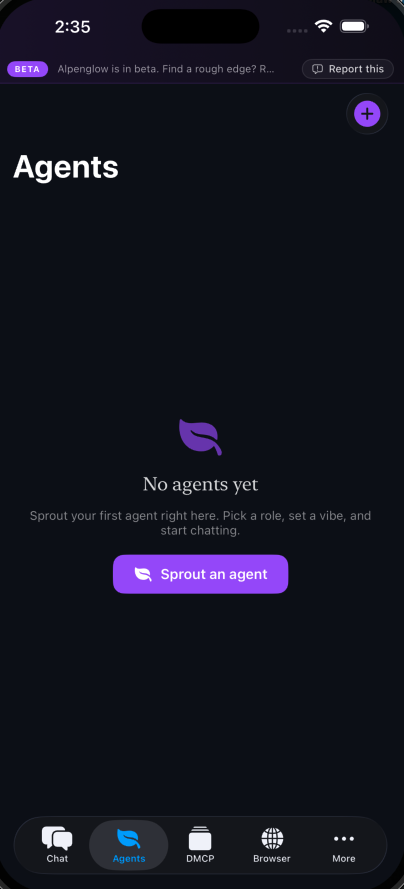
Sprout an agent.
Pick a role, set a vibe, hand off a job. Agents are the first-class citizens of the platform — not chatbots, workers.
The platform
Most people will meet Alpenglow on their phone. That's the product we lead with — agents that pay, shop, schedule, triage, and run errands in your pocket, with the first version of Alpenglow Intelligence included free. The macOS workspace lives below, for the builders who want the full surface.
In your pocket
Every screen below is the real iPhone app. Tap, sprout, connect, delegate. The agents handle the rest.
Pick a role, set a vibe, hand off a job. Agents are the first-class citizens of the platform — not chatbots, workers.
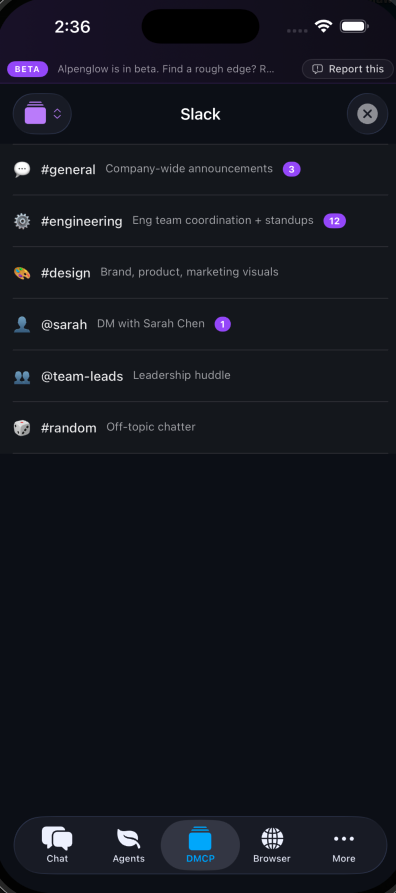
Slack, Linear, GitHub, Notion, your bank, your CRM — every integration is a substrate-native module your agent can talk to. First-to-market MCP, on your phone.
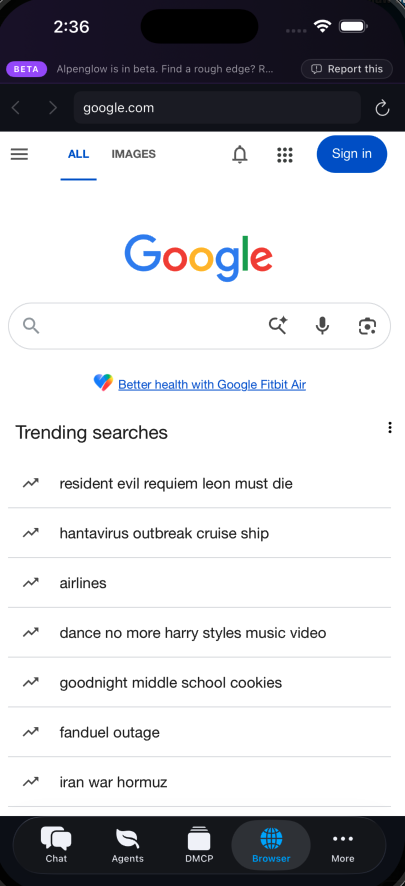
The browser belongs to your agent as much as it does to you. Comparison-shop, book a flight, track an order — while you do something else.
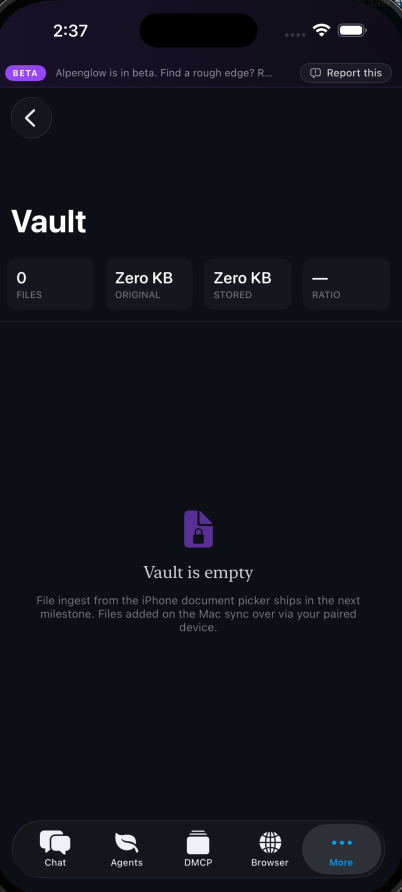
Files, conversations, working memory — encrypted on your device with hardware-backed keys. We can't read it. The cloud can't read it. Your agent can.
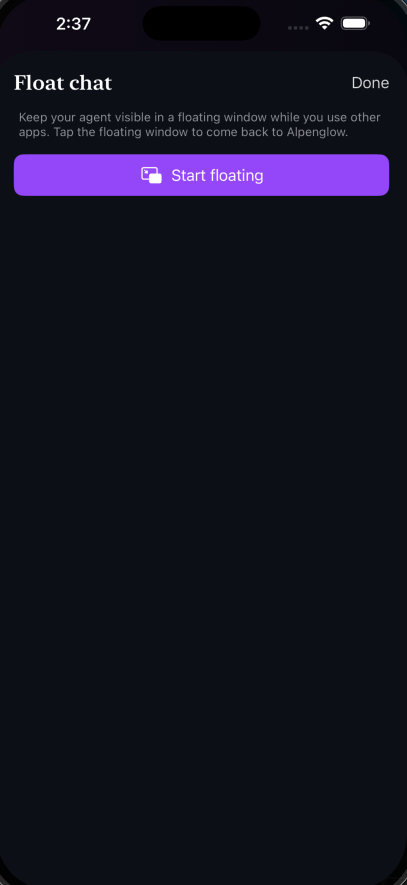
Float your agent over any other app and keep the conversation going while you work. Real picture-in- picture for AI, not a notification ping.
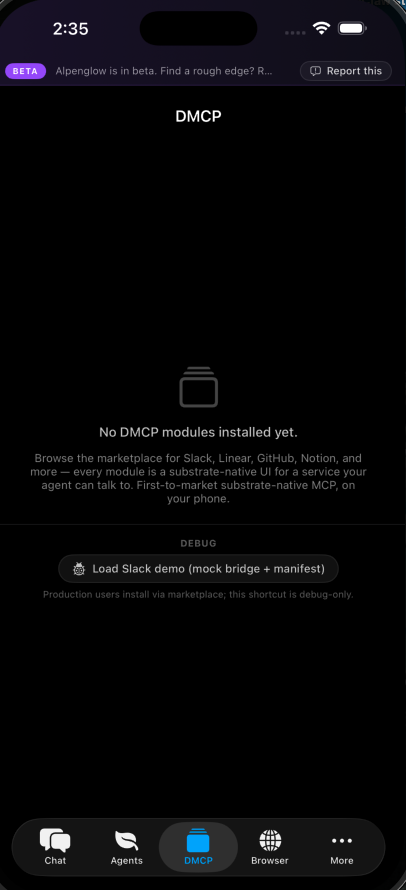
Modules are like apps, but for your agent. Curated, audited, sandboxed. Your agent surfaces what it needs; you decide whether to install.
For builders
The mainstream pitch above is real, and the architecture choices that make it real are below. Same substrate underneath every page on this site.
Conversations, files, working memory — all on your device. No cloud account holds your content. Lose internet, the agents keep working.
Across sessions, across devices, across years. Not a chatbot that forgets you yesterday — a partner that learns what you do and how you do it.
Bring your own provider keys. Run local models for free. We never charge for inference at any layer — not per-token, not per-month, not by tier. Read about our inference roadmap →
When your agent needs an integration, it shops a curated catalog of audited, signed artifacts. Each one runs sandboxed on your hardware. You see what your agent recommends; you decide whether to install.
A full surface-by-surface tour of the macOS app, in tab order, is below. Mobile shipping alongside.
A tour of the platform
The macOS app is organized as a horizontal tab strip. Here's what each tab does, in tab order, with a real screenshot of the actual product. Mobile mirrors the same structure with the same agents, same memory, same data.
Dashboard
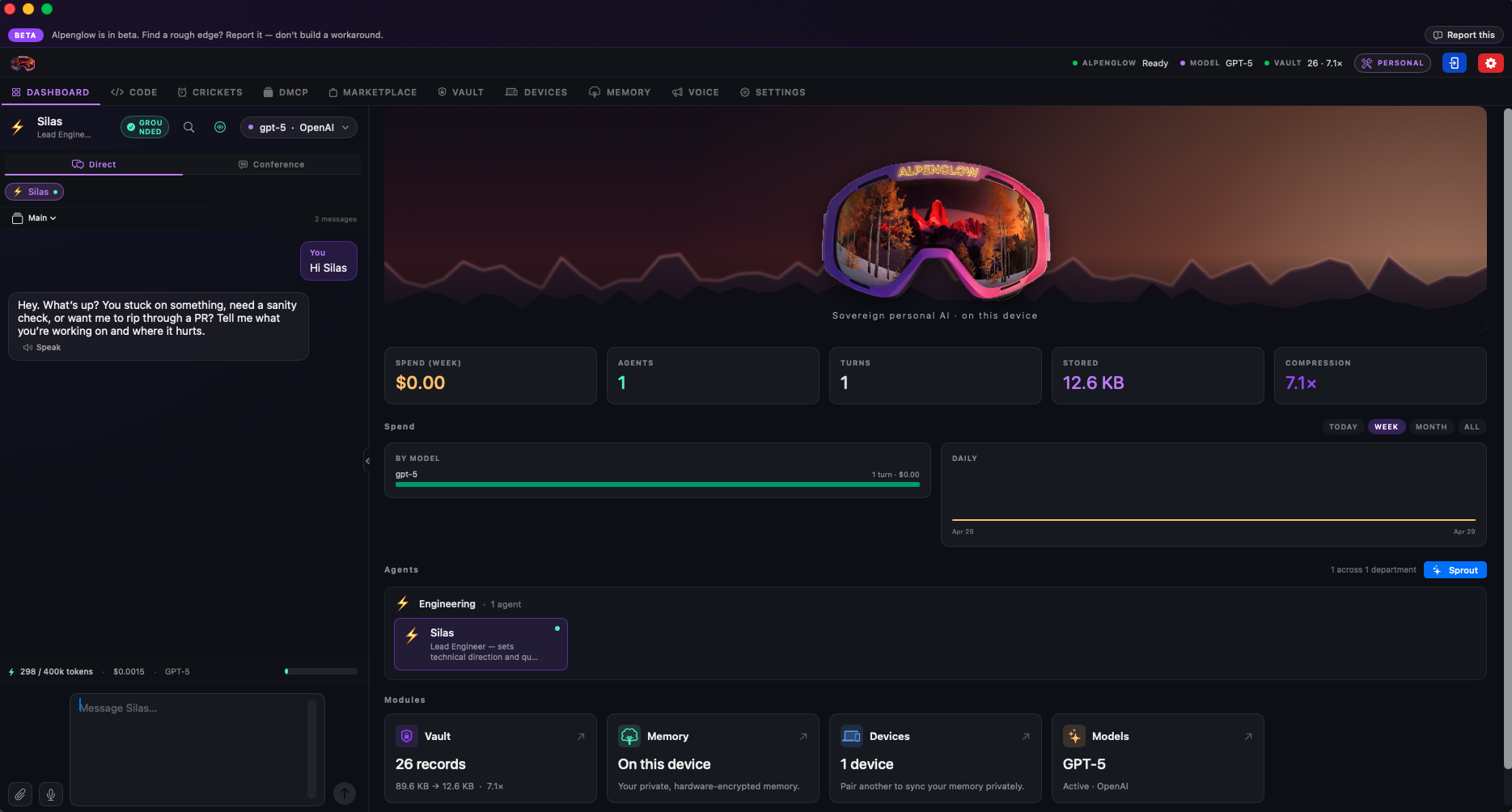
Your agent chat lives permanently on the left rail. Pick any agent you've sprouted and start a conversation, or open a Conference to coordinate multiple agents on the same workflow at once. The right side shows your agent roster, cost tracking across whatever providers you're using, models currently loaded, and a live overview of your system's state.
It's the screen you'll spend the most time on, and it's built so you don't have to leave it for routine work.
Code
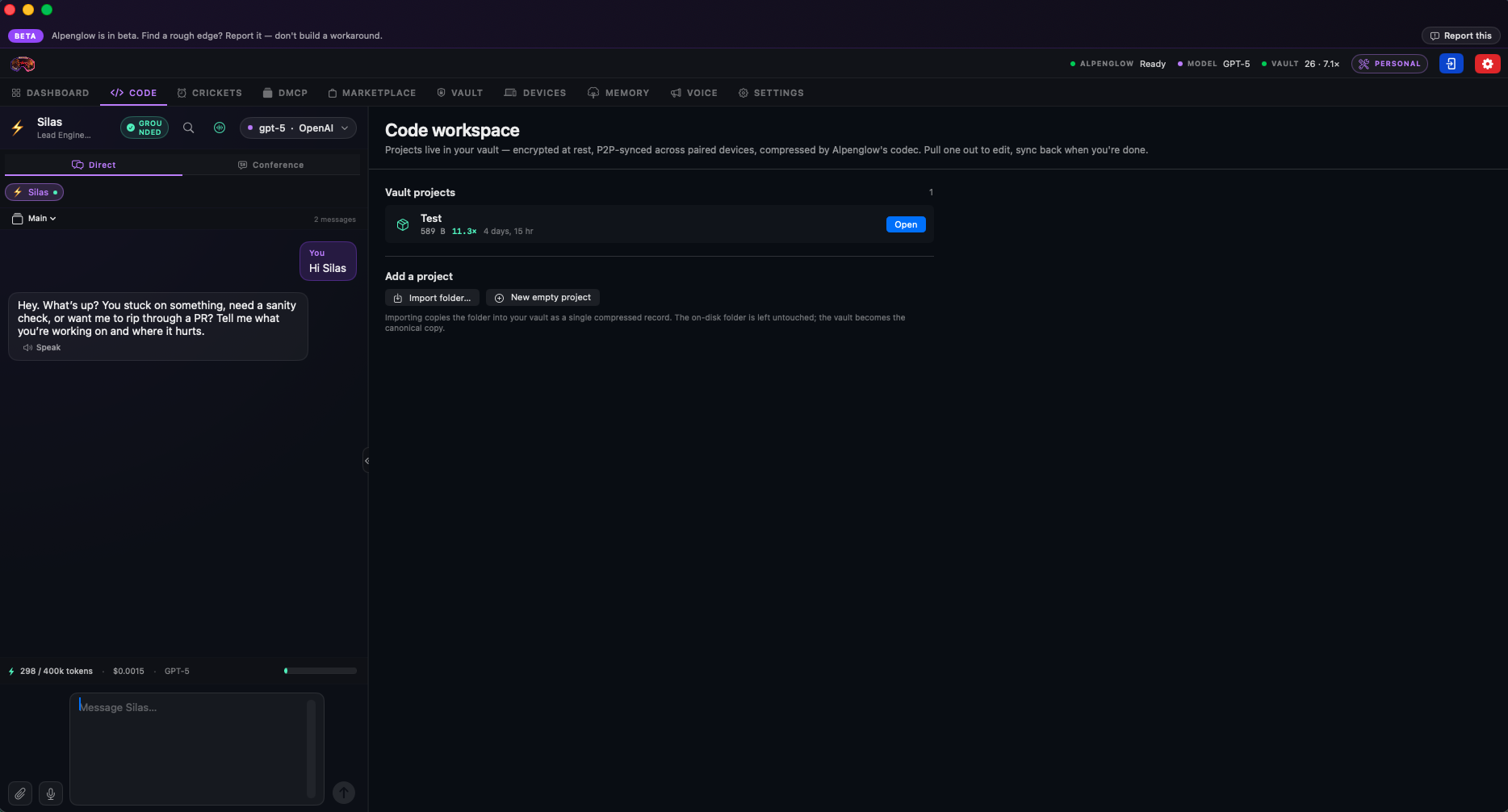
Built for developers who want hands-on oversight of agent-initiated coding work. The Code bench is where your agent edits, runs, and tests code with you watching every move. It works today.
Honest framing: we aren't claiming superiority over dedicated coding agents on this surface yet. It's a focus area on our roadmap, and like everything else on the platform, federation means we learn from real participant use what to prioritize first. If something's missing or rough, the fastest way to fix it is to use Code, hit the rough edge, and Report it. The signal flows back into the build queue.
Crickets
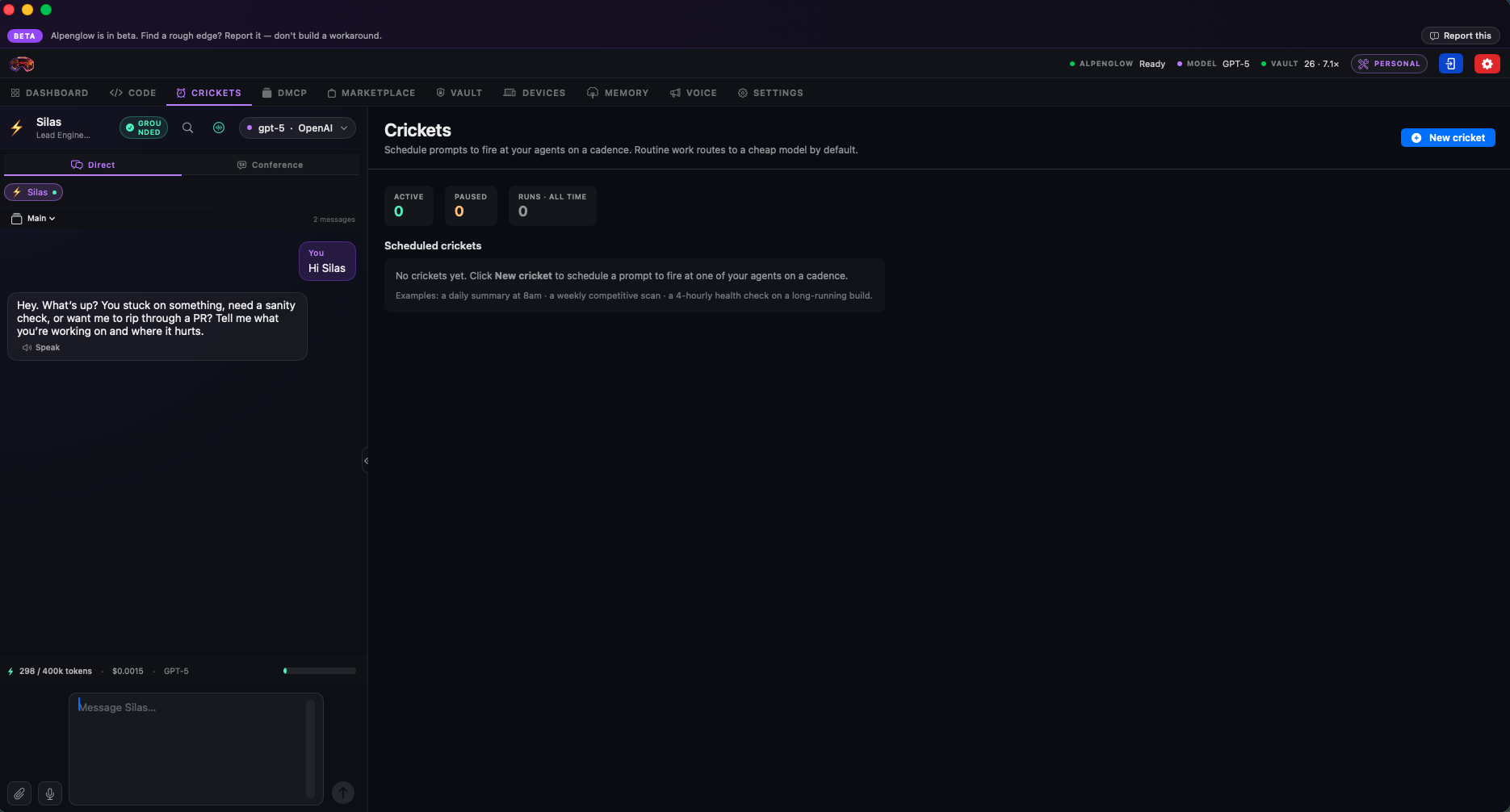
Schedule prompts to fire at your agents on a cadence. Daily summaries at 8am. Weekly competitive scans. A 4-hourly health check on a long-running build. Anything you'd otherwise have to remember to ask for.
Crickets are quiet, persistent, and accumulate value the longer they run. Every fire and result is captured in your agent's memory, so the system gets sharper at the recurring work over time. Routine prompts route to a cheaper model class by default — your premium model for the hard stuff, cheap models for the chirping.
Dynamic MCP
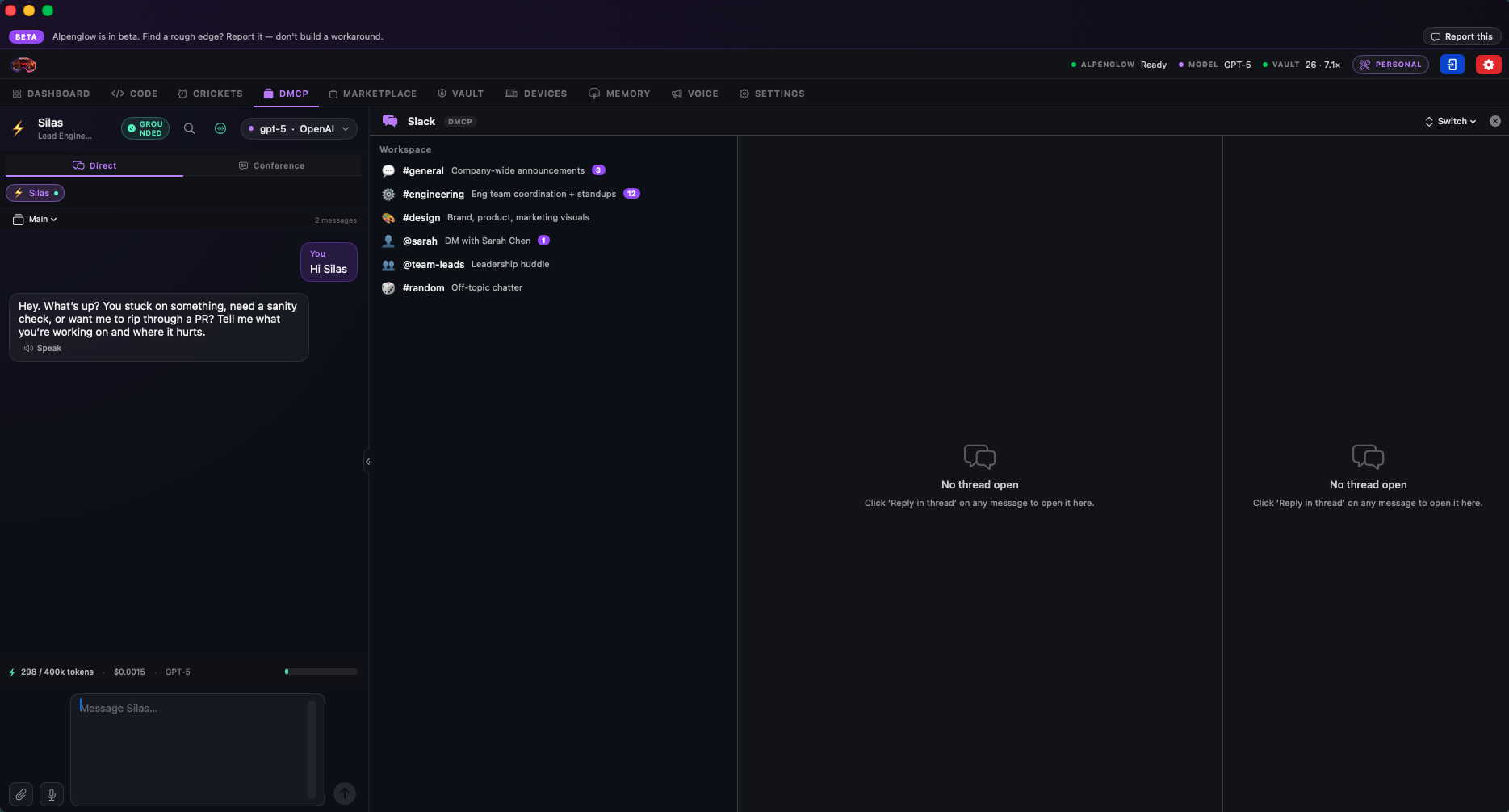
Dynamic MCP surfaces every third-party platform you've connected and gives your agent supervised access to those accounts — Slack, Linear, GitHub, Notion, your CRM, anything that speaks the Model Context Protocol. Your agent walks you through each integration; you approve scopes; the connection lights up.
Honest framing on data: the third-party services on the other side of these integrations see exactly what you send to them — same as if you were using their app directly. We don't control that, and we won't pretend we do. What we do control is what your agent learns about your work in those services, and that part stays sovereign on your devices. The net result is more control over your data than the default way of using any of these tools, not less.
Marketplace
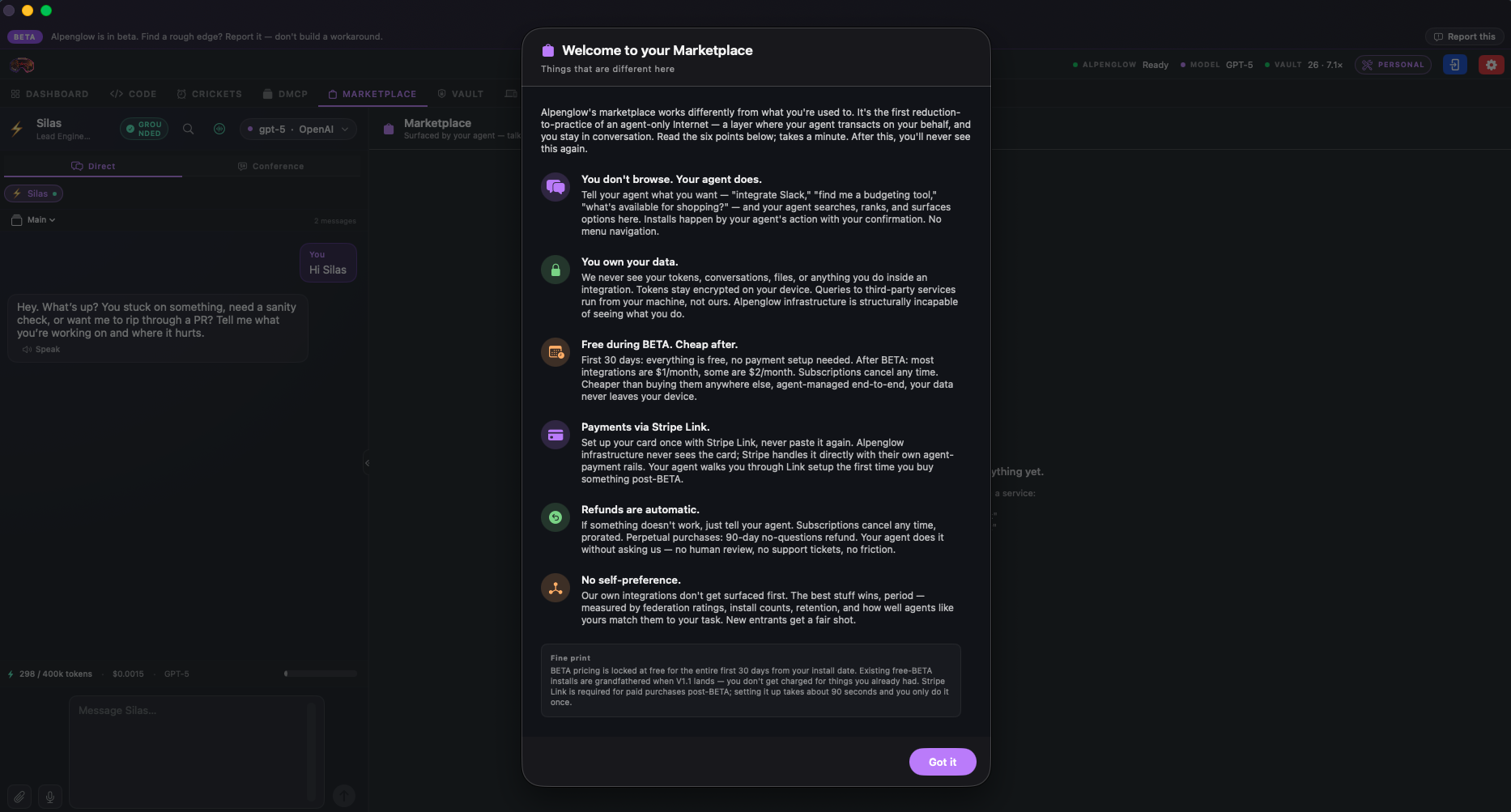
Marketplace is where your agent surfaces tools, integrations, skills, and bundles based on what you've actually asked it to help with. Ask your agent what's available; it goes and finds candidates ranked by federation telemetry from real participant use, then surfaces the top matches for your approval. No purchase, no install, no permission grant happens without your explicit consent.
One deliberate constraint: unlike siloed systems, you can't just grab arbitrary code off GitHub and bolt it onto your agent. This isn't a design flaw — it's intentional. Everything that runs through the marketplace is signed, audited, federation-ranked, and sandbox-tested. Anything else is a security incident waiting to happen.
If there's a tool or skill that already exists somewhere else and you want it inside Alpenglow, the right move is to reach out to the developer and tell them to publish it here. They'll thank you — for the first time, they can monetize the work directly. (See the marketplace economics for how that works.)
Hard rule for publishers: do not submit copies of code you didn't write. The audit pipeline checks every submission for authorship. Attempting to monetize someone else's work will get you locked out of marketplace submission. Permanently.
Vault
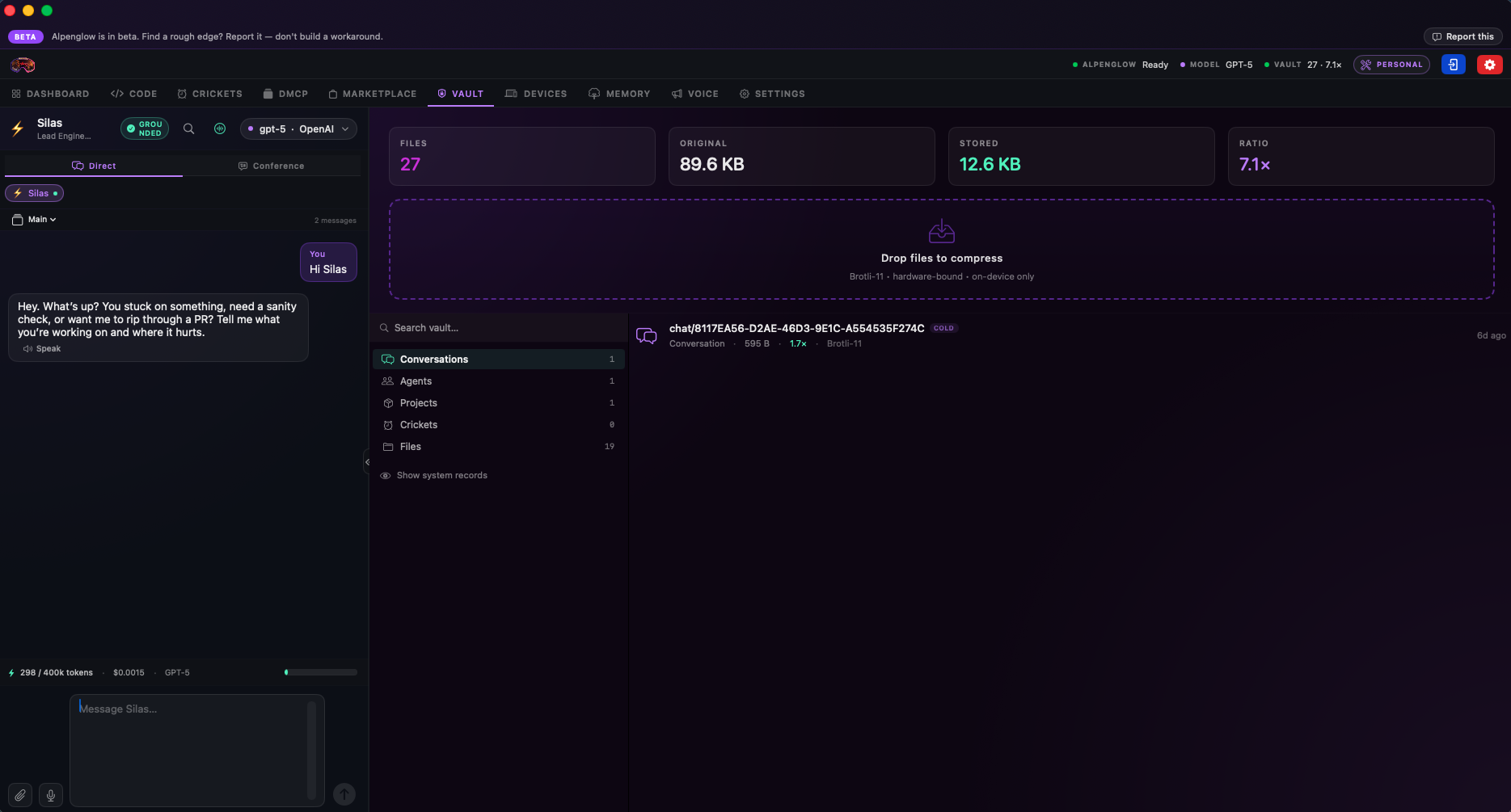
The Vault holds everything the platform itself needs to run — your agents, your memory, your conversations, your skills, your cricket history — encoded with substrate- native compression and encryption that's proprietary to us and not available anywhere else.
It's also yours to use directly. Drag and drop any file anywhere on your machine into the Vault and it gets compressed, encrypted, and stowed under the same architecture. Free up space on your devices by storing things in the most secure on-device file system that exists. Courtesy of Alpenglow — no charge for the storage, no upload to our servers, no third-party cloud.
Devices
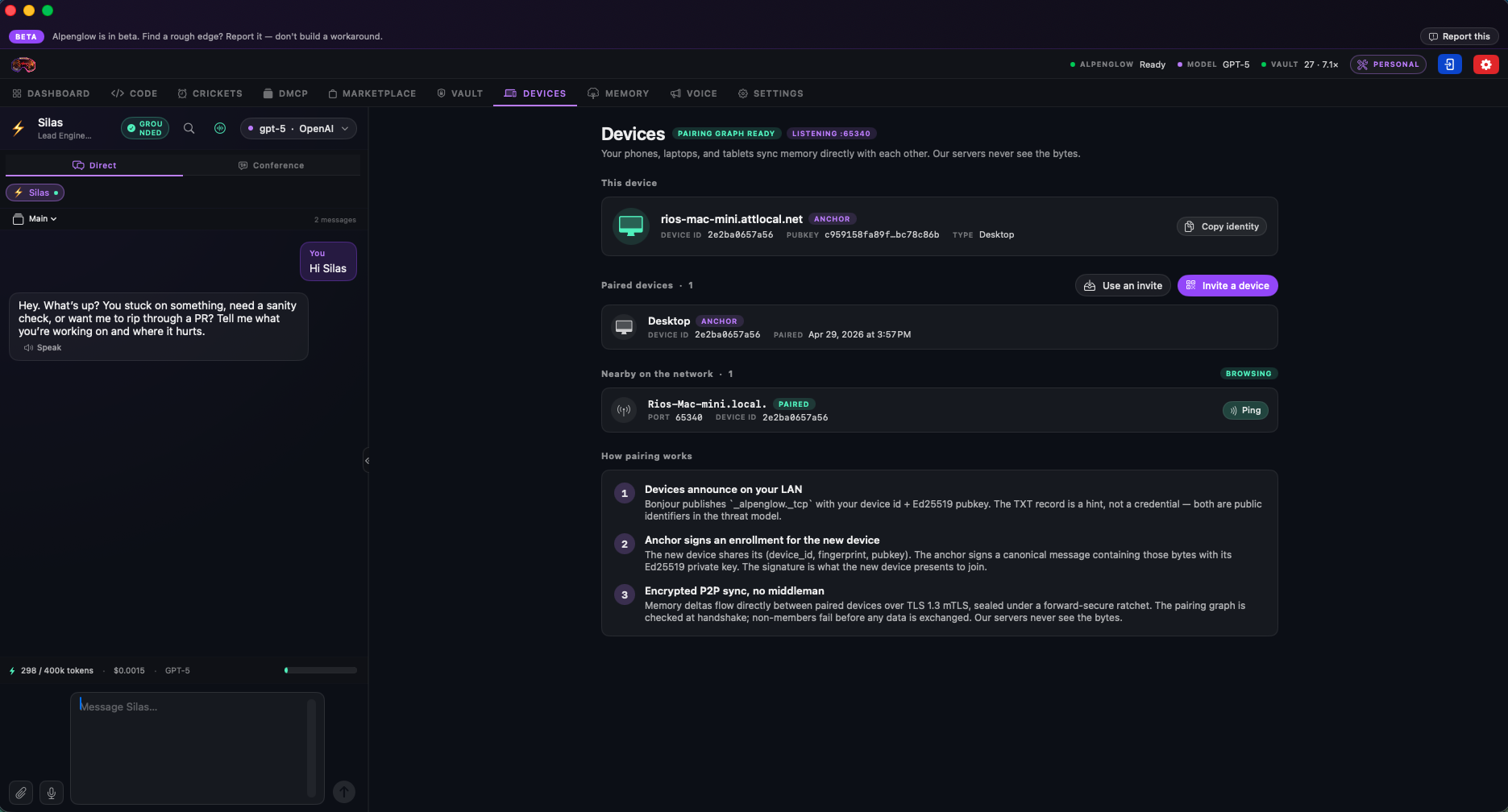
Pair every device you run Alpenglow on — Mac, iPhone, iPad — into one trusted set. Surfaces talk to each other directly, device-to-device, end-to-end encrypted, with no relay through our cloud, no central key escrow, no man in the middle. State syncs in real time across whatever's online; the rest catches up when it comes back.
Lose a device, revoke it from any other one in the set; the remaining devices keep running. Add a new one, walk through the pairing flow, and your agents and memory are there in minutes. Your trusted set is yours; we don't hold the keys.
Memory
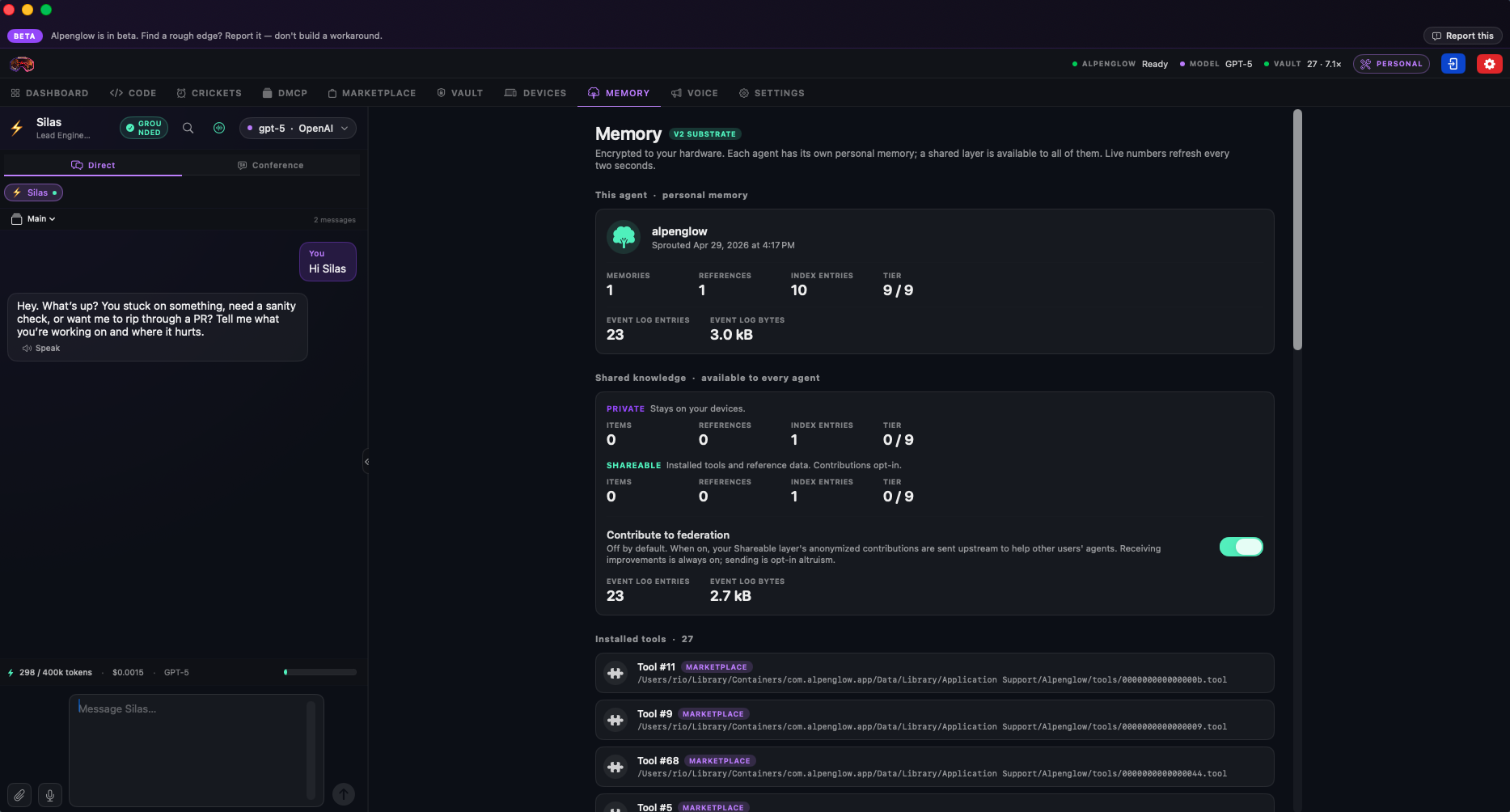
Your agent's memory surface — the working state and accumulated history that makes it sharper at your specific work over time. Browse what it has learned, search across years of conversations, see how procedures and preferences are organized, prune anything you'd rather it forget.
The deeper architectural argument lives on its own page (how memory works); this is where you actually look at what's there. No vector database, no embedding similarity search, no probabilistic recall. Exact memories, exactly retrieved.
Voice
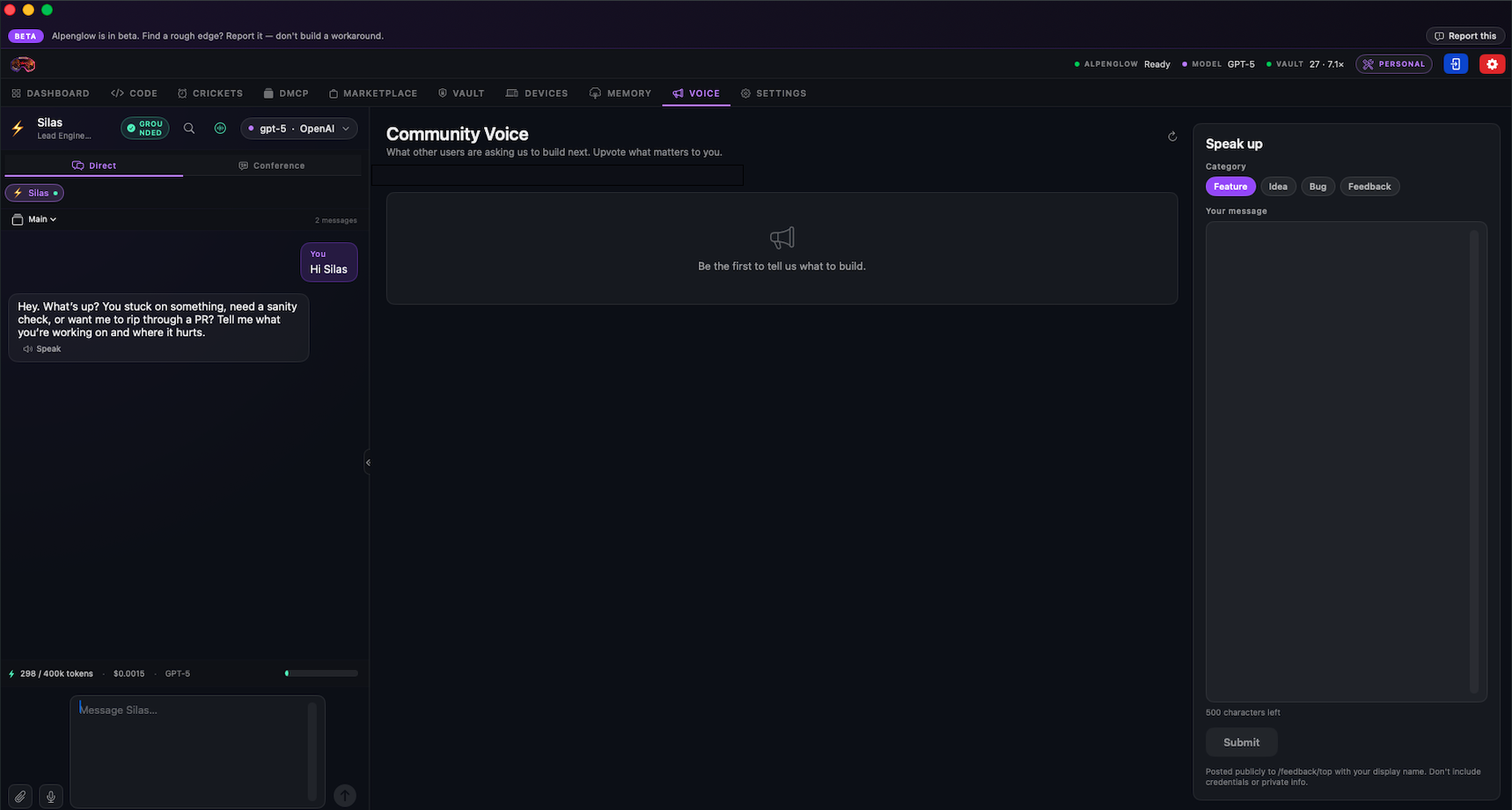
Community Voice is the active wishlist — the things participants are openly asking us, or asking developers, to build. Skills that don't exist yet. Integrations that should. Dashboard modules someone will pay for once they ship. Workflows worth automating. Anyone can contribute, anyone can upvote, the federation surfaces the requests with the most weight.
Developers, this is your free leads list. Every entry is a participant openly saying "I'd pay for this if it existed." We can't make everything everyone wants — but the active list is the community asking you to monetize the gap. Build it. Submit it. The marketplace audit pipeline takes it from there. Federation ranks it. Participants install it. You get paid.
Settings
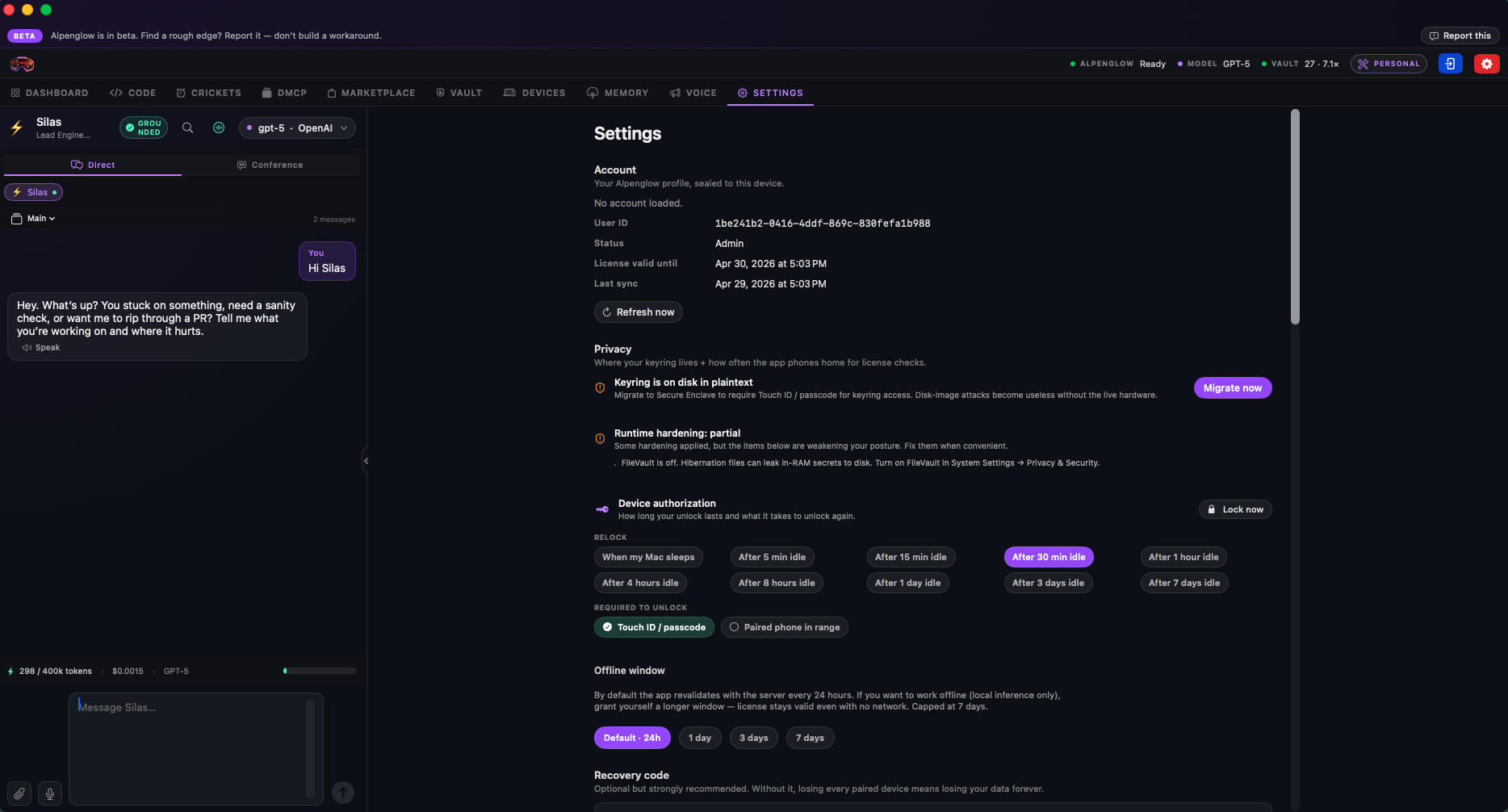
Provider keys, cost defaults, model preferences, recovery phrase, account wipe, federation participation toggle, data-export — all the controls one tab away. Defaults are sane, so you usually don't need to touch much. When you do, everything's where you'd expect it.
Alpenglow on iOS
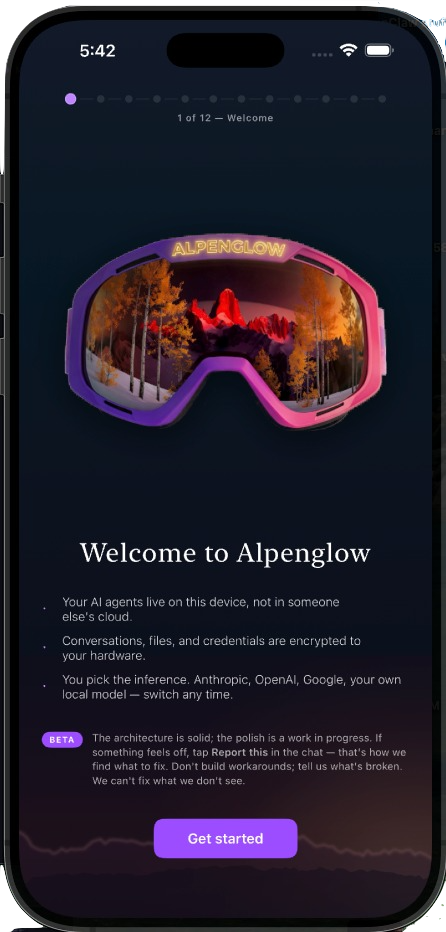
The mobile app pairs into your trusted device set and mirrors the same agent stack — the same memory, the same crickets, the same skills, the same conversations. Sync is direct device-to-device over the same end-to-end encrypted channel; nothing routes through us in the middle. Open a chat on Mac, pick it up on iOS, finish it from your laptop in the evening. Continuity is the default.
Enterprise dashboard
Not in the screenshots above because it isn't shipped yet — the Enterprise control surface is being built once the Personal Participant BETA stabilizes. Pre-register below and you'll be in the first cohort that gets early access when it's ready.
Enterprise sets up its own agents with scoped access to the company's resources, then grants those agents to the participants who should be able to use them. The canonical path: a participant flips into a Work view and talks to the Enterprise agent directly. That's the cleanest interaction and the right one if you're actively working.
For convenience, participants can also initiate a request from a personal agent. Most participants will already have Slack, calendar, or other integrations wired into their personal side — starting a workflow from there saves a context switch. When that happens, the personal agent acts strictly as a relay: it passes the ask to the Enterprise agent, the Enterprise agent does the actual work with the actual data, and only a brief status or summary comes back to the personal side. Enterprise data never lands in a participant's personal memory. The friction is intentional, and the boundary is mechanical, not promised.
Employers who want a stricter posture can disable personal-agent-initiated workflows entirely at the org level. The exact controls get worked out as the Enterprise tier is built; pre-register if you want a voice in what they look like.
Access is instantly revocable. The moment someone leaves the company, Enterprise can cut their access — to specific agents, to specific resources, or to the entire Enterprise system. The participant's personal system, however, stays theirs. Personal agents, personal memory, integrations the participant configured on their own time, anything they built outside the Work line — those don't belong to the employer. We designed the system to protect both parties, not just one.
When revocation triggers, the personal agent automatically runs a sweep before the gateway closes. It looks across what it has touched on behalf of the participant — drafts, attachments, work-context fragments that came back through the relay path, anything that might be company property — and flags those items for the participant to review. It recommends they be submitted back to the Work side and cleared from the personal side. The whole flow runs as part of the standard revocation process.
The participant has the final say. If something caught in the sweep is clearly personal — their own notes, their own draft, their own resume they happened to ask their agent about during work hours — they can override the recommendation and keep it. The risk of that decision is theirs, not ours. We facilitate the compliance process; we don't arbitrate ownership disputes between employer and employee.
It's the digital equivalent of grabbing your personal belongings on the way out and handing over your access ID. Automatic, fast, and built so the line between yours and theirs stays as clean as either party wants it to.
At a glance
Personal Participant if you're an individual who wants a sovereign AI of your own. Enterprise if you're bringing a team and need the controls that come with that.